April 2026 Update
We’ve been busy. Over the past couple of months, we’ve shipped a handful of features across both Tribot Echo and the launcher that we think you’ll appreciate. Additionally, scripters have pitched in to provide similar updates across their scripts, integrate with new tribot internals, and even develop entirely new systems.
Here’s a rundown of what’s new.
MouseV2
We rebuilt mouse movement from scratch. The goal was simple: make the mouse move the way a real person’s hand moves, not just look like it.
MouseV2 is built on principles from human motor science. Movements follow natural curves using spline-based trajectories instead of simple offset paths. Speed adjusts through curves automatically, because that’s what real hands do. There’s a well-studied neurological principle called the two-thirds power law that governs how humans naturally slow down when tracing curved paths. MouseV2 implements this directly.
Each account also gets its own consistent “mouse personality.” Generated from a seed, these profiles mean your account’s mouse behavior stays recognizable across sessions while being distinct from every other account. Things like curve preference, overshoot tendency, and reaction timing are all part of the profile. This is how the old mouse system worked, but we’ve taken another pass at it to make it more natural for the new algorithm.
On top of that, the mouse adapts in real-time based on what’s happening. Parameters like focus, urgency, accuracy, and fatigue shape each individual movement. A bot rushing to pick up a valuable drop moves differently than one casually banking inventory. That kind of contextual variation is something we think matters a lot.
MouseV2 has two tiers: Premium and Ultimate. Each corresponds to the tribot membership required to use their features.
Enhanced Clicking
When your character is walking, the camera shifts.
That means the thing you’re trying to click is moving on screen while you’re moving your mouse toward it. If the mouse aims for where the target was, it misses. This is not a problem for typical players. Our brains naturally adjust to this predictable and steady camera movement to move our mouse to a predicted position.
Bots often make up for this by increasing mouse speeds to unrealistic levels or even using detectable direct inputs into the game and spoofing an even more unrealistic mouse movement. Our previous mouse using a varying speed system to avoid fast movements most of the time.
Tribot now solves this with target prediction. It estimates where the target will be on screen by the time the mouse arrives, accounting for camera movement, player movement speed (walking vs. running), and client interpolation. If something changes mid-flight, it retargets smoothly rather than snapping to a new position.
This achieves multiple goals:
- The entire movement is based on a future position, creating a path humans do naturally but most other bots don’t.
- The mouse doesn’t snap when retargeting, the movement interpolates into the existing path.
- The mouse doesn’t move too fast, ever. Even average players can click a moving target, and jagex can see it. Now Tribot does this by default.
This works for entities, tiles, ground items, and minimap clicks. It’s a subtle improvement but one that makes a real difference in how natural interactions look, especially during movement-heavy tasks.
Record Your Own Mouse Data (Ultimate Members Only)
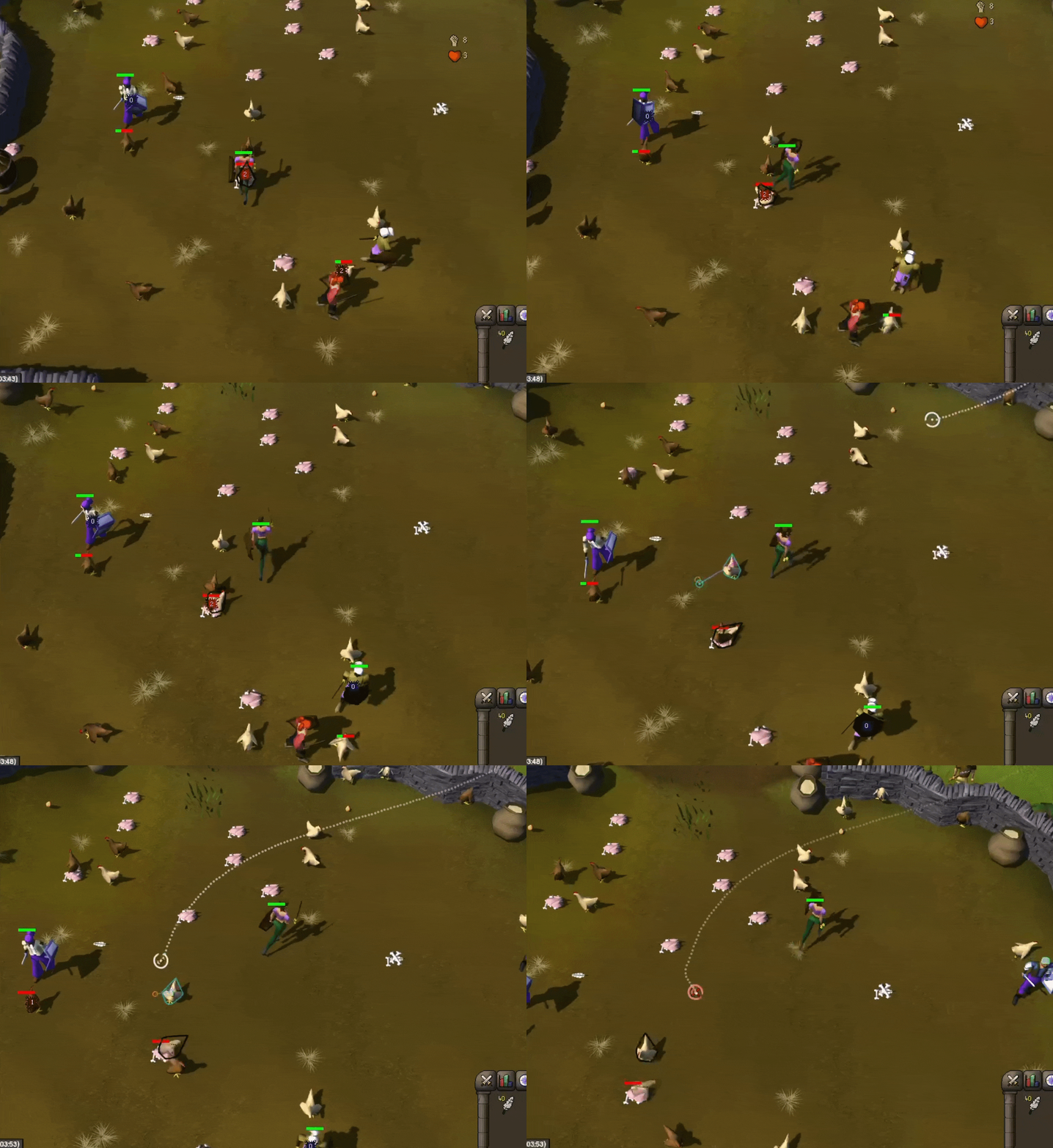
For those who want maximum realism, you can now record your own mouse movements and feed them into MouseV2.
A built-in visualizer tool presents you with targets to click. As you move your mouse naturally, it records everything. Your recordings aren’t replayed, though. That would be detectable. Instead, they’re decomposed into micro-level components like noise textures (the tiny imperfections in your hand movement) and correction templates (how you adjust when approaching a target). MouseV2’s Ultimate tier then overlays these real human micro-patterns onto its generated trajectories.
The result is movement that’s synthetically generated at the macro level but textured with real human motor patterns at the micro level. Novel every time, but statistically indistinguishable from real movement.
Dentist Walker
Dentist Walker is a new webwalker implementation Dentist has been working on in collaboration with Tribot. It’s built with the same human principles we built Tribot Echo with, while also boasting new features like instance support, sailing support, and more.
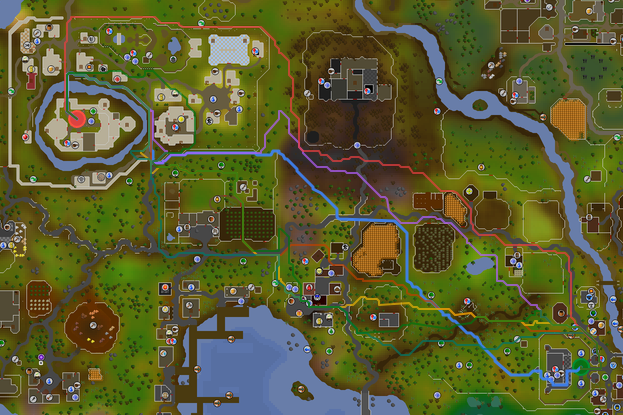
Significant Path Deviation, Rounded Corners
Dentist Walker doesn’t just fuzz the same path over and over again that matches a textbook pathing algorithm. It generates entirely separate sections of the path for each target. Additionally, the walker rounds around corners, prefers visual paths, and several other touches that make humans different that A* and Dijkstra.
Sailing Support
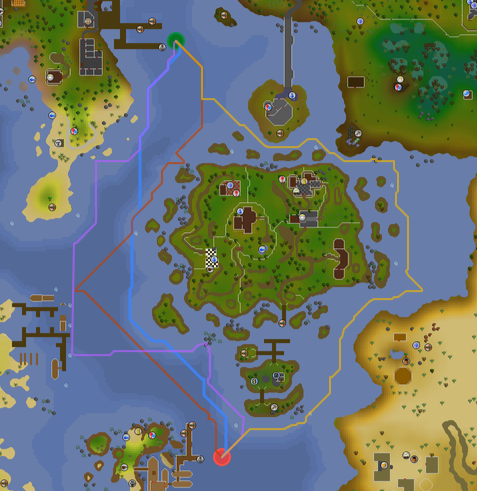
The walker also supports sailing pathing, making incorporating sailing into scripts easier.
ARKScripts Human Obsession
Over the past few months, Ark has been hard at work observing and innovating on script-level antiban to compliment Tribot’s signature human touch.
Here are a few highlights you can find in ARKScripts:
- Hyper Human Mode - an AI-powered (for real) humanisation system designed to predict actions/mouse actions, carry out human behaviours that most other scripts never consider doing (but all humans do) and alter account decision making based on live, analysed, streamed data.
- ARKMouse V4 - a direct addition to the new Tribot MouseV2 system, designed to work in tandem, ARKMouse uses real human researched values, behaviours and adaptable context-awareness to emulate what a normal person does, leading to a mouse and camera system that you can SEE looks human.
- Circadian Breaking - inspired by human behavioural patterns, ARKScripts include a powerful, optional, 1-click breaking system that allows you to run 24/7 - simulating sleep, bathroom breaks, food breaks and scheduled activities, and powered by data straight from the ARKServer.
- Hundreds of new, under the hood, behavioural improvements, designed to help make your account be as close to human as possible.”
Sync Launcher Data Across Machines
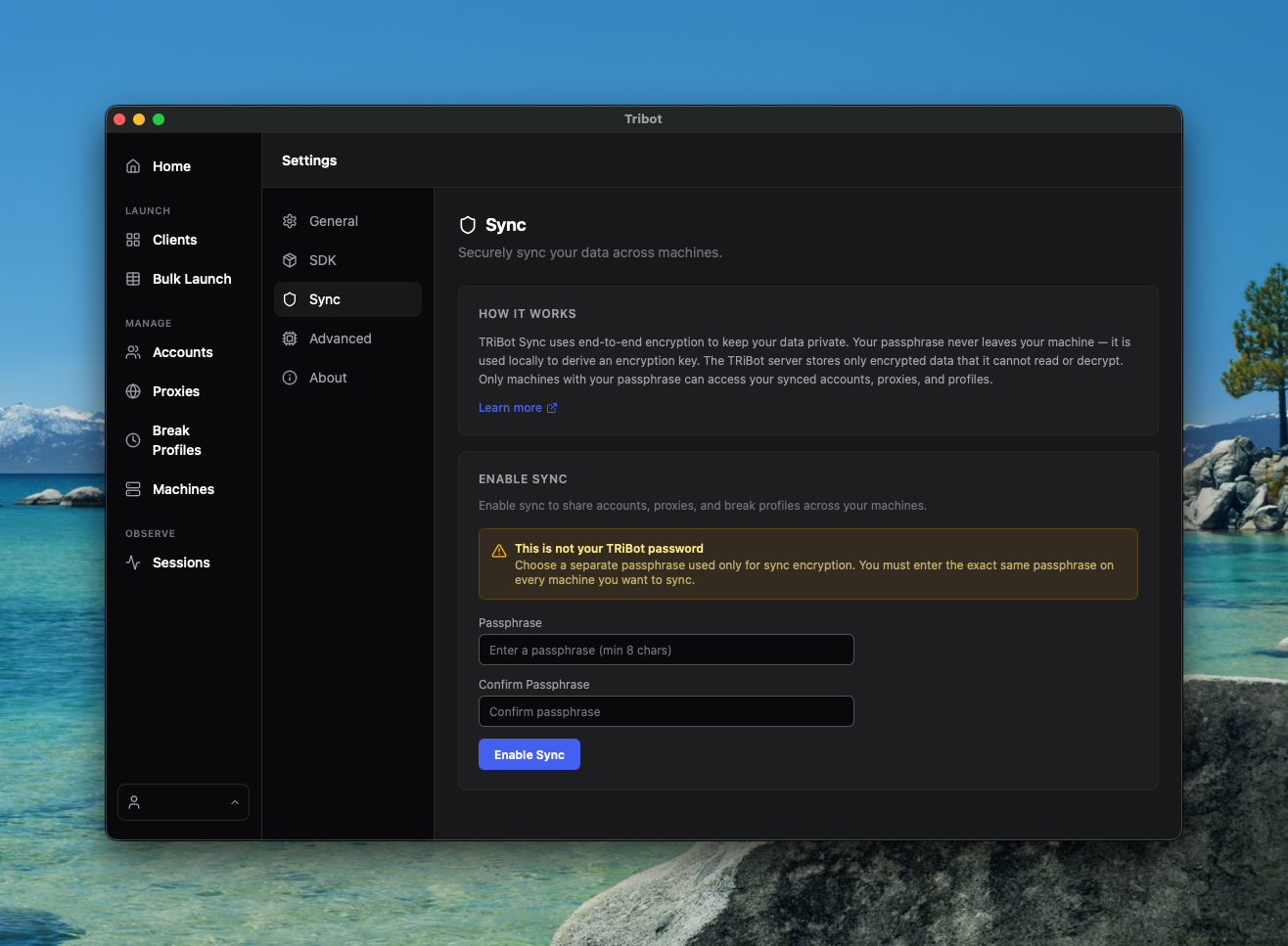
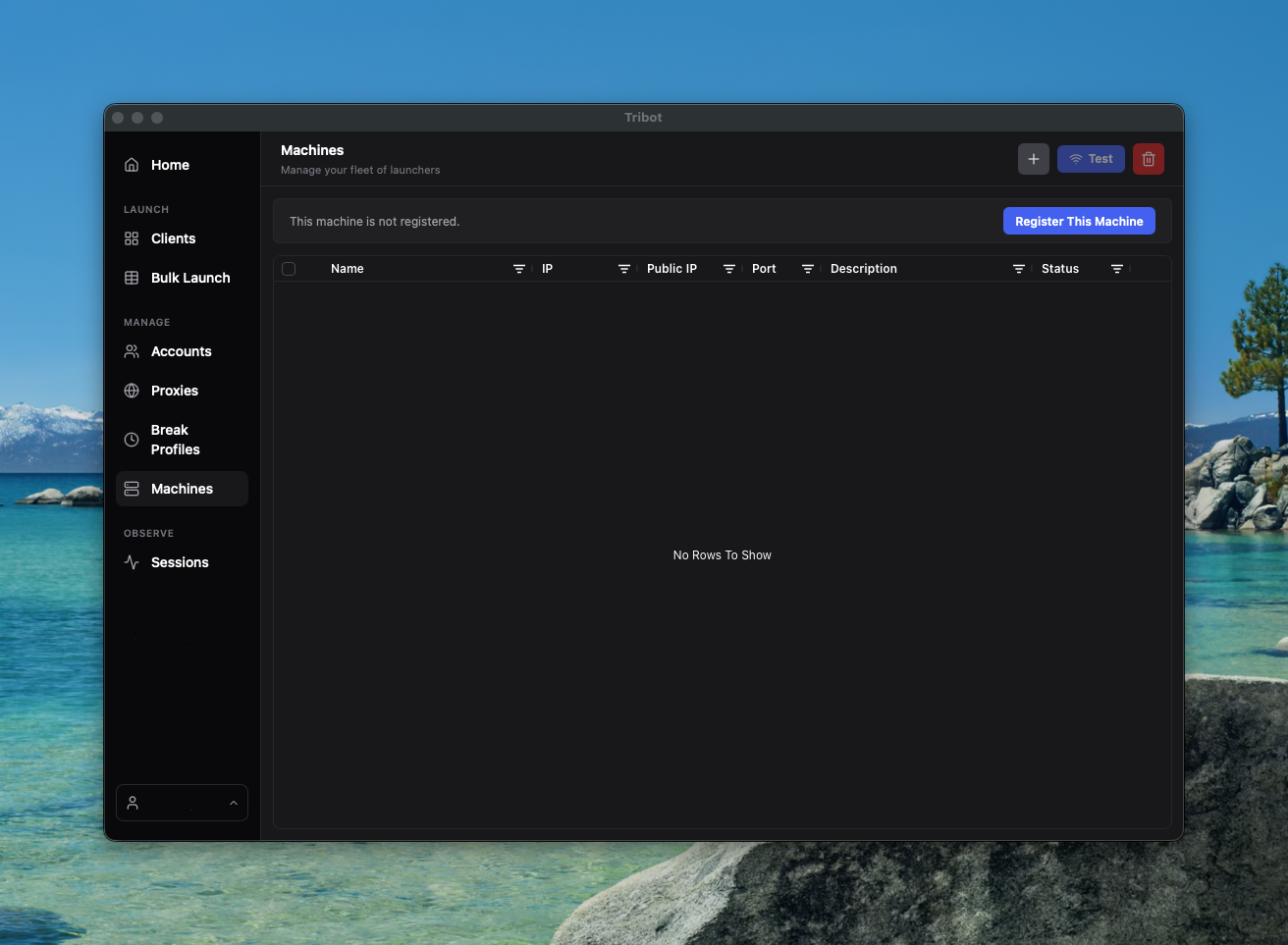
If you run bots across multiple machines, you’ve probably dealt with the hassle of manually copying account credentials, proxy configs, break profiles, and settings between them (or using a third party solution to do so). The launcher now handles this for you.
Enable sync with a passphrase, and your data stays in sync across every machine that uses the same passphrase. Accounts, proxies, break profiles, settings. All of it.
The part we want to highlight is how this works under the hood, because it matters. Your data is end-to-end encrypted using AES-256-GCM with a key derived from your passphrase via PBKDF2. The encryption and decryption happen entirely on your machine. Our servers store only encrypted blobs and a verification hash. They cannot read your data. We don’t have access to your passphrase or your encryption key.
This is the same zero-knowledge model used by password managers like Bitwarden and 1Password. We think this is the right way to handle sync for data as sensitive as account credentials and proxy configurations. You shouldn’t have to trust your bot client with that in plaintext, and with Tribot, you don’t. We take your privacy seriously.
Improved Break Handler
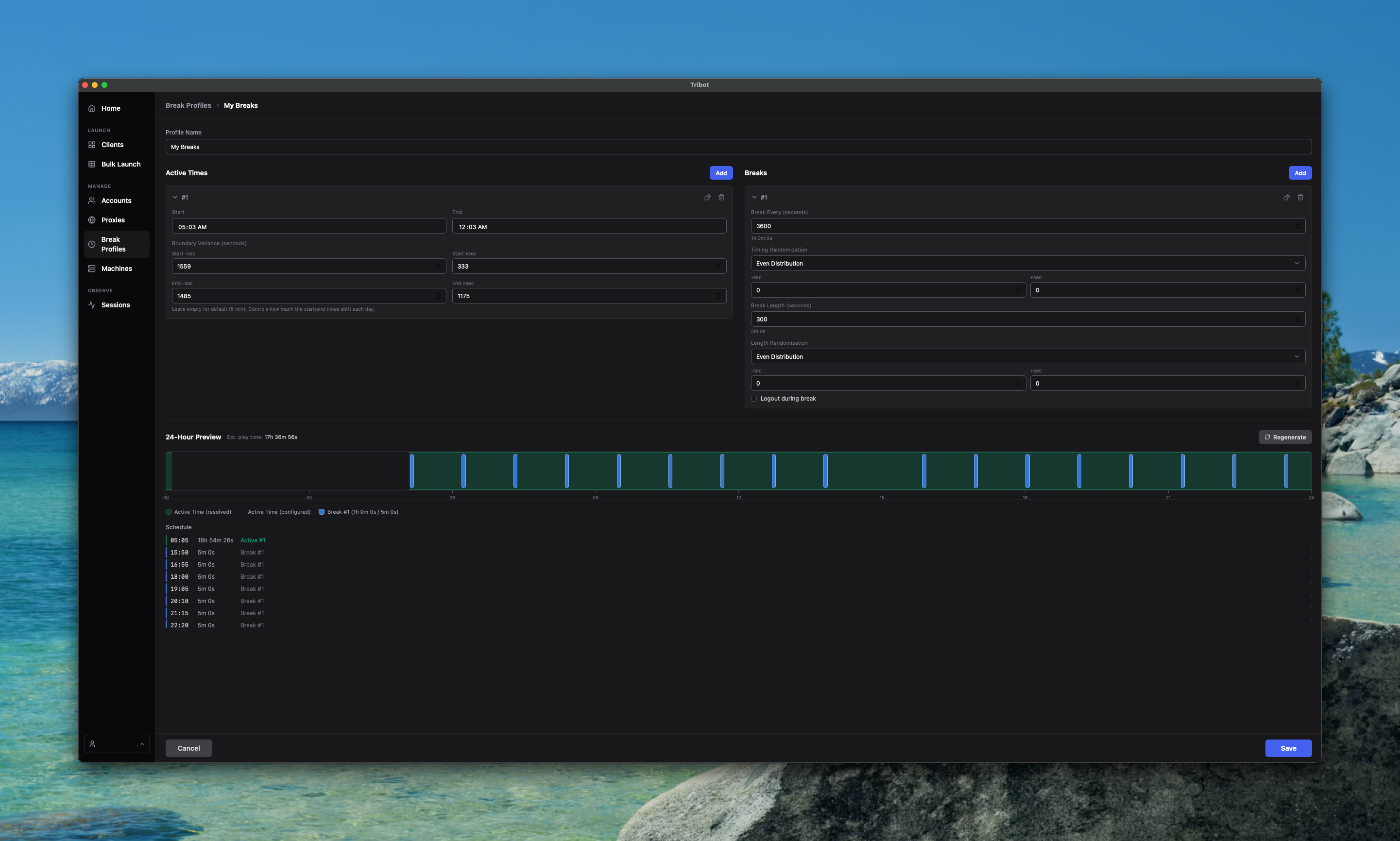
The break handler in the launcher got a significant UX overhaul.
The biggest addition is a visual 24-hour timeline that shows your active windows and scheduled breaks at a glance. You can see exactly when your bot will be active, when it’ll take breaks, and how long each break lasts. A “Randomize Break” button generates realistic break patterns quickly, and a regenerate button lets you preview different variations of the same schedule.
The editor itself is cleaner now with collapsible sections, better controls, and an estimated play time calculation so you know exactly how much active time a given schedule produces. It’s a lot easier to set up and understand your break profiles at a glance.
For Developers
There’s been a lot of recent work on the development side of the Tribot ecosystem as well. If you’re a script developer or interested in building with Tribot, keep an eye on our Discord for news and updates on new tooling and APIs. We’ve released so many things recently for developers including:
- Full runelite api access
- Lower level mouse and keyboard control
- New event listeners
- New build plugin with the ability to load scripts via jars
- A new API for automating the launcher!
- A new “plugin” system that will let you write plugins similar to runelite plugins that can’t directly interact with the client, but can orchestrate scripts, control the client, and get game data.
Additionally, Dentist Walker is now available in our new api and all users get free usage for it for the time being while it develops.
Wrapping Up
That’s it for this update. As always, if you have questions or feedback, come find us on Discord. I’ll be posting what we’re working on in the coming weeks.
Happy Botting!